Best MacBooks for video editing in 2026 MacBook Pro 14" M5 Pro · MacBook Pro 14" M5 Max · MacBook Pro 16" M5 Max
The MacBook Pro M5 Pro is the most balanced editing laptop on the market in 2026: dedicated Media Engine, 4K ProRes RAW editing without proxies, up to 48 GB of unified memory and 14h of real battery life while editing. The M5 Max raises the bar for 8K, multicam and audio post-production.
MacBook Pro for professional video editing
The three MacBook Pro M5 models with Media Engine: hardware-accelerated ProRes RAW, Final Cut Pro and DaVinci Resolve without compromise.
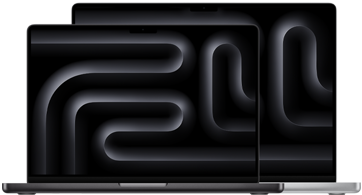
MacBook Pro 14" M5 Pro
Laptop referenceM5 Pro · Media Engine · 4K RAW editing without proxies · up to 48 GB RAM · 14h battery while editing
MacBook Pro 14" M5 Max
High productionM5 Max · up to 40 GPU cores · 8K without proxy · multicam without dropping a frame · 128 GB RAM
MacBook Pro 16" M5 Max
Large XDR displayM5 Max · 16" XDR display · 8K multicam · audio post-production · complex projects
M5 Pro or M5 Max for video editing?
Choose M5 Pro if…
- • You edit 4K H.264, H.265 or ProRes day to day
- • 2–4 simultaneous streams in DaVinci or Premiere
- • Smooth Final Cut Pro without dropped frames
- • You want the best battery life while editing
- • Covers 90% of professional editors
Choose M5 Max if…
- • You edit 8K RAW with multiple angles
- • 6+ simultaneous streams without dropping a frame
- • Intensive grading in DaVinci Resolve Studio
- • Heavy compositions in After Effects
- • The M5 Pro starts dropping frames in your workflow
Veredicto: the M5 Pro is the rational choice for the vast majority. The M5 Max makes sense if your regular workflow includes 8K multicam or intensive renders in Resolve — not as an aspiration, but as a daily necessity.