Best Macs for programming in 2026
Apple Silicon turned the Mac into the best portable development machine on the market. Native Unix, all-day battery life, excellent compile performance and the only option for iOS and macOS development with Xcode. If you mainly do web, backend or Python work, an M5 Mac handles any project effortlessly.
Do you need a Mac for iOS or macOS?
Yes. Xcode only runs on macOS, and signing and publishing apps on the App Store requires Apple hardware. There is no official alternative. A Mac mini M6 is the most affordable way to get a complete iOS development environment.
MacBooks for programming
Native Unix, a powerful terminal and all-day battery life make MacBooks the most practical development laptops for most programmers in 2026.
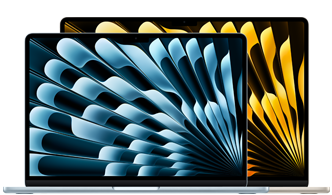 For most people
MacBook Air 13" M5
M5 · 16 GB · the best choice for web, backend and Python without breaking the bank
See review →
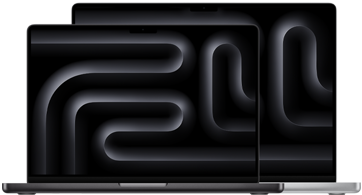 Serious development
MacBook Pro 14" M5 Pro
M5 Pro · 24 GB · demanding Docker, Xcode, heavy Rust/C++ compilation
See review →
Biggest screenMacBook Pro 16" M5 Pro
M5 Pro · 16" Liquid Retina XDR display · very large projects
See review →
Desktop Macs for programming
For a fixed setup in a studio or at home, desktop Macs offer more RAM and more compile power with the same quiet, efficient Apple Silicon.
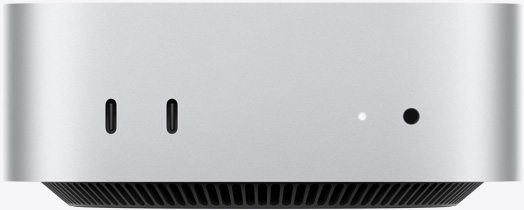 Best value
Mac mini M6
M6 · 16 GB · compact and quiet · best-value desktop
See review →
Serious compilingMac mini M5 Pro
M5 Pro · 24–48 GB · heavy Docker · Rust/C++ compilation · fast Xcode
See review →
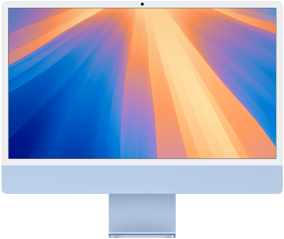 All-in-one
iMac 24" M4
M4 · built-in 4.5K Retina display · all-in-one for studio work
See review →
Why the Mac is the dominant choice for developers
- ✓
Native Unix, no extra layers
macOS is POSIX. Homebrew, shell scripts, Python, Ruby, Node — everything works just like on Linux, without WSL2.
- ✓
All-day battery life
The MacBook Air M5 lasts 15–18 hours of real development work. No hunting for sockets.
- ✓
The only option for Apple development
Xcode, SwiftUI, TestFlight — only possible on a Mac. There is no alternative for publishing on the App Store.
- ✓
Fanless Air, quiet Pro
The MacBook Air has no fans. You can compile in complete silence in a library.
The main limitation: no CUDA. For local AI with PyTorch on the GPU, you need Windows with an RTX card. For local model inference, Apple Silicon MPS offers good performance but less compatibility.
Frequently asked questions
Which Mac should I buy for programming in 2026?
For most developers — web, backend, Python, JavaScript — the MacBook Air 13" M5 with 16 GB is the answer. It is native Unix, has all-day battery life and performs like a top-end Windows laptop from two years ago. If you compile large C++/Rust projects, use Docker very heavily or need 24+ GB of RAM, the MacBook Pro 14" M5 Pro is the logical next step.
Do I need a Mac to develop for iOS and macOS?
Yes, it is mandatory. Xcode only runs on macOS, and publishing on the App Store requires signing with a Mac. There is no official alternative. A Mac mini M6 (compact and cheaper) is enough for standard iOS development. If you work with simulators for every device at the same time, the Mac mini M5 Pro or MacBook Pro M5 Pro give you more headroom.
M5 or M5 Pro Mac for programming?
The base M5 in the MacBook Air (or the M6 in the Mac mini) covers 90% of developers. Stepping up to the M5 Pro makes sense if you compile large projects (Rust, C++, huge monorepos) and compile times frustrate you, run Docker with 5+ heavy containers at once, need more than 16 GB of unified memory, or develop for iOS with multiple device simulators running in parallel.
How different is the Linux/Windows experience on a Mac?
macOS is Unix (BSD-based), so the terminal, Homebrew, Docker, Node, Python, Git — everything runs natively and smoothly without virtualization layers. The differences are in the details: some shell scripts have minor incompatibilities (macOS uses zsh by default), and library paths are different. Overall, 95% of the modern development stack works just like on Linux, without the friction of WSL2.